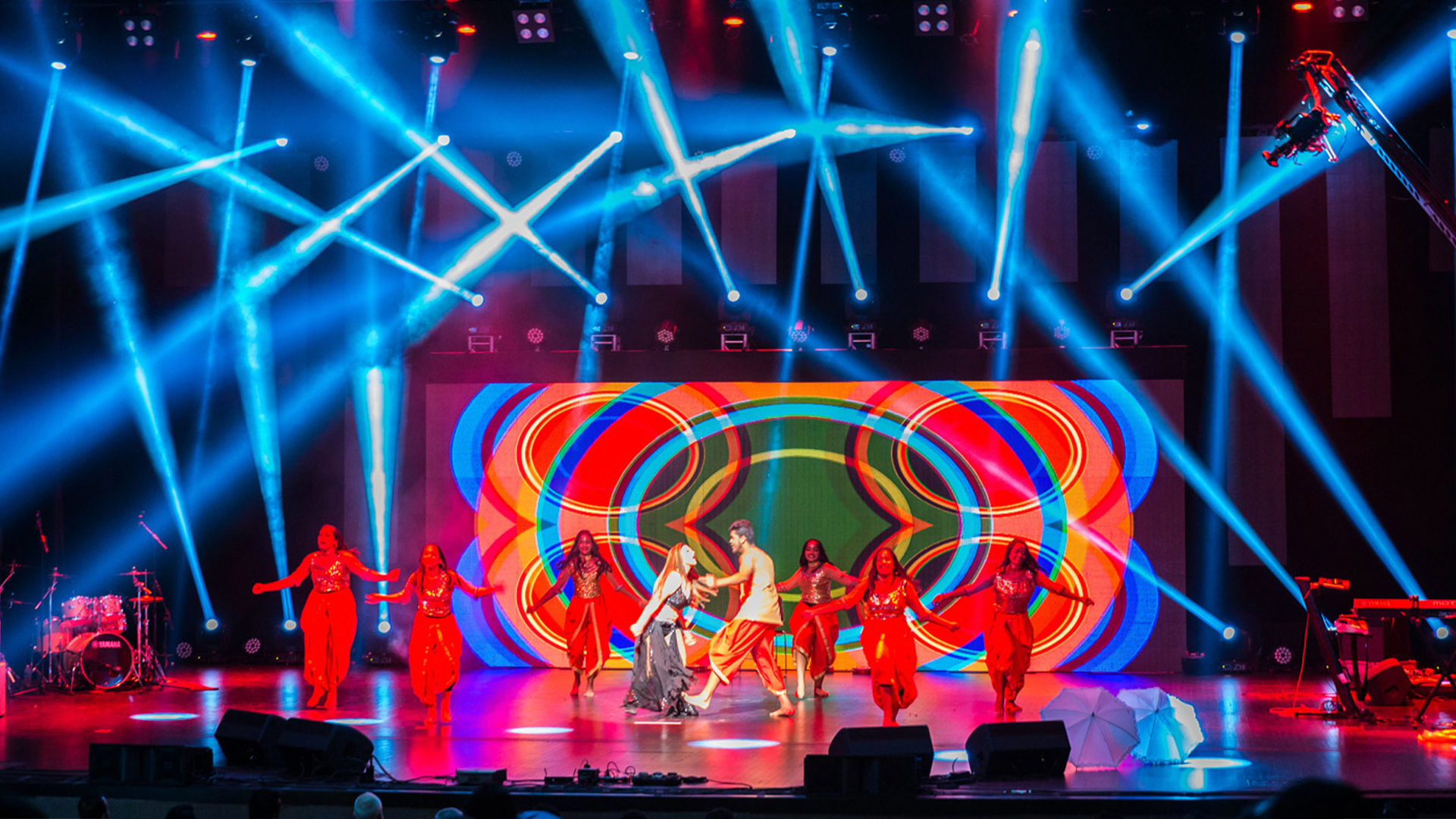
In the intricate dance between lighting design and broadcast video, the camera is supposed to be the ultimate authority. The video director calls the shots, the switcher punches them up, and lighting exists to make those shots look beautiful. That’s the theory, anyway. In practice, certain spotlights develop grand ambitions that include deciding exactly what the camera should be photographing—and they’re remarkably persuasive about it.
The Broadcast-Lighting Relationship
Modern broadcast lighting exists in tension with entertainment lighting philosophies. Concert designers create bold visual statements with stark contrast, intense colors, and dramatic darkness. Broadcast cameras—even premium units like the Sony HDC-4300 and Grass Valley LDX 86 have dynamic range limitations that struggle with theatrical extremes.
The clash produces predictable problems. A beautifully lit concert stage viewed through the camera becomes a muddy mess of crushed blacks and blown highlights. Video engineers adjust iris, gain, and gamma attempting to capture what human eyes see effortlessly. Sometimes the best technical solution is simply accepting that certain lighting moments don’t translate to video.
Evolution of Television Lighting
Early television inherited theatrical lighting techniques but quickly discovered their limitations. The Image Orthicon cameras of the 1950s required extraordinary light levels—often exceeding 1000 foot-candles—that made performers sweat through their makeup. These cameras couldn’t handle contrast ratios beyond 20:1, forcing flat, even illumination that eliminated the shadows dramatic lighting depends upon.
The 1960s brought improved Plumbicon tubes that reduced light requirements and improved contrast handling. Color television introduced new challenges; different colored lights affected camera pickup differently, requiring careful attention to spectral output. The development of CCD sensors in the 1980s and eventual transition to CMOS sensors continued improving camera flexibility, but lighting for broadcast remained fundamentally different from lighting for live audience.
The Awards Show Spotlight Incident
The most dramatic example of spotlight camera theft I’ve witnessed occurred at a major awards ceremony. The show’s lighting design included sixteen Robert Juliat Cyrano follow spots positioned to track presenters and winners throughout the venue. The video direction called for specific shots coordinated with lighting cues—wide shots during musical numbers, tight shots during speeches.
During one particular musical performance, a follow spot operator made an artistic decision that was technically unauthorized but visually stunning. Instead of maintaining the programmed pool on the lead singer, the operator began tracking a backup dancer whose choreography was genuinely extraordinary. The spot’s movement was smooth and intentional—this wasn’t an error but a choice.
The video director faced an immediate dilemma. The planned shots featured the lead singer, but the camera naturally followed the spotlight’s focal point. Cutting to the singer meant showing a performer partially lit while an obviously-intentional spotlight highlighted someone else. The director adapted, calling shots that incorporated both performers, but the sequence was entirely improvised.
Technical Causes of Spotlight-Camera Conflicts
Beyond human decisions, technical factors cause spotlights to interfere with camera work. Intensity mismatches represent the most common issue. A Robert Juliat Lancelot at full output can produce 150,000 lux at 50 feet—substantially brighter than surrounding stage lighting. When cameras expose for this intensity, everything else goes dark. When they expose for overall stage brightness, the spotlit area burns out completely.
Color temperature conflicts create another category of problems. Traditional follow spots using HMI lamps operate around 5600K—daylight balanced. Stage lighting using tungsten sources or LED fixtures set to 3200K produces notably warmer tones. When both sources illuminate the same subject, cameras must choose which white balance to favor, leaving the other source appearing either orange or blue.
Flicker presents additional complications. HMI and discharge lamps produce light pulses synchronized to AC power frequency. At certain camera shutter speeds, this flicker becomes visible as banding or intensity variation. Matching shutter speed to power frequency (1/60th for 60Hz systems, 1/50th for 50Hz) eliminates most flicker, but this constraint limits camera operators’ exposure options.
Solutions Through Design Coordination
Preventing spotlight-camera conflicts begins with design coordination. Productions that will be broadcast require early collaboration between lighting designers and video directors. This collaboration identifies potential conflicts before they manifest during live broadcast.
Intensity matching ranks among the most important coordination tasks. Follow spots should be calibrated to produce illumination levels compatible with overall stage brightness. Some productions use LDI (Lighting Designers International) guidelines that specify maximum spotlight intensity relative to stage wash levels.
Color temperature standardization helps significantly. When all sources moving lights, conventional fixtures, follow spots—operate at consistent color temperature, cameras can maintain single white balance settings without compromise. Modern LED follow spots like the Robert Juliat Merlin offer adjustable color temperature, enabling perfect matching to any lighting design.
Real-Time Coordination Systems
Technology increasingly enables real-time coordination between lighting and video. Systems like FOLLOWME and Robert Juliat SpotMe track performer positions automatically, feeding location data to both lighting control and video systems. When follow spots and cameras share position information, coordinated movement becomes possible.
Some broadcast productions implement timecode-synchronized cueing that coordinates lighting changes with camera cuts. Running lighting cues through SMPTE timecode synchronized to video switcher triggers ensures lighting states match intended shots. This approach requires extensive pre-programming but eliminates many real-time coordination challenges.
Communication systems keep human operators aligned. Professional productions provide follow spot operators with video monitors showing program output—they can see exactly what cameras are capturing and adjust their work accordingly. Some setups include tally indicators that inform spot operators which camera is live, enabling them to prioritize illumination for the active shot.
When Stealing Camera Time Works
Not all spotlight camera conflicts are problems. Experienced video directors learn to work with follow spot operators’ instincts rather than fighting them. A spot operator who sees something visually interesting might be identifying a shot the director hadn’t considered.
Live event broadcasts thrive on spontaneity. When a follow spot catches an unexpected moment of performer interaction or audience reaction, that spotlight creates an opportunity rather than an obstacle. Directors who maintain flexibility in their shot planning can incorporate these moments into their visual narrative.
The most successful broadcast productions create collaborative relationships between lighting and video teams. Rather than strict hierarchies where video commands and lighting obeys, these productions foster ongoing dialogue. Follow spot operators understand video priorities; directors understand lighting capabilities. Together, they create coverage that serves both disciplines.
The spotlights that steal camera time remind us that live production involves creative decisions happening constantly across multiple disciplines. The best productions channel these decisions toward unified artistic goals. The challenging productions well, they demonstrate what happens when talented people disagree about where to point the light, while millions watch the resulting confusion on their screens.
